Jeanne Mathews
Proofreading and editing services
Draft editing
Files in Microsoft Word will be marked using the Track Changes feature. This will clearly indicate revisions I am suggesting. You, the author, remain in complete control of your work. You can decide which changes to keep or to delete.
Here is a link that explains how this feature works:
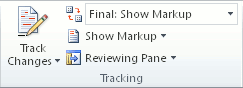
How to track changes in Microsoft Word
Accept final changes
We can have an exchange if you have questions about any revisions I have suggested. Or you can simply choose which ones to keep and which ones to discard.
The revisions I have made will be clearly indicated in red as revisions or perhaps as comments. You can review them and decide which changes to keep or to delete. You will then have a document suitable to submit to a publisher that incorporates the revisions you want but gives no indication of the original problems.
Here is a link that explains how this feature works:
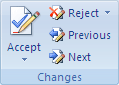
How to accept or reject changes in Microsoft Word
I care
I am a real person and will give you my full personal attention. I take pride in my work. I want you to be satisfied, to use my service again, and to recommend me to your friends.
I think you will notice and appreciate the difference this makes.